Features
Everything in Eloom PDF Studio
Every feature is in the free trial and in every licence. There are no editions and no add-ons.
Edit text in place
Click a paragraph, change the words, apply. The original letters are removed and the new ones written in the same font, size and colour.
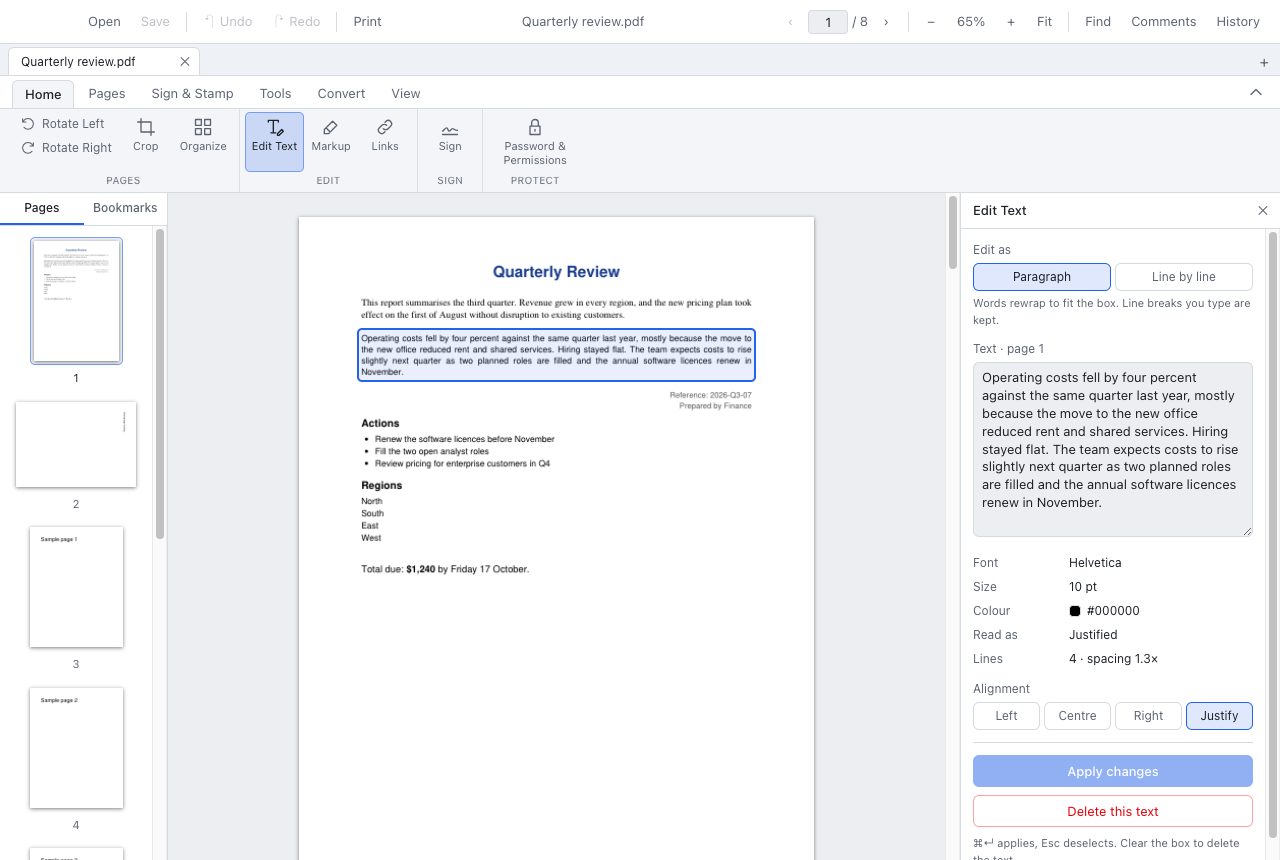
- Paragraphs rewrap inside their column, and the text below moves up or down to fit
- Tables, lists and rotated text edited cell by cell or line by line, keeping their place
- The document’s own fonts, including the cut-down fonts Canva and others embed
- Alignment: left, centre, right or justified
- Delete text along with its bullets and underlines
- Scanned pages become editable after Make Searchable
- Warnings first when new text won’t fit or a letter isn’t in the font
- Every edit can be undone, one step at a time
Mark up and comment
Review a document, discuss it, and send it back. Marks are standard PDF annotations, so Acrobat, Preview and web browsers show them too.
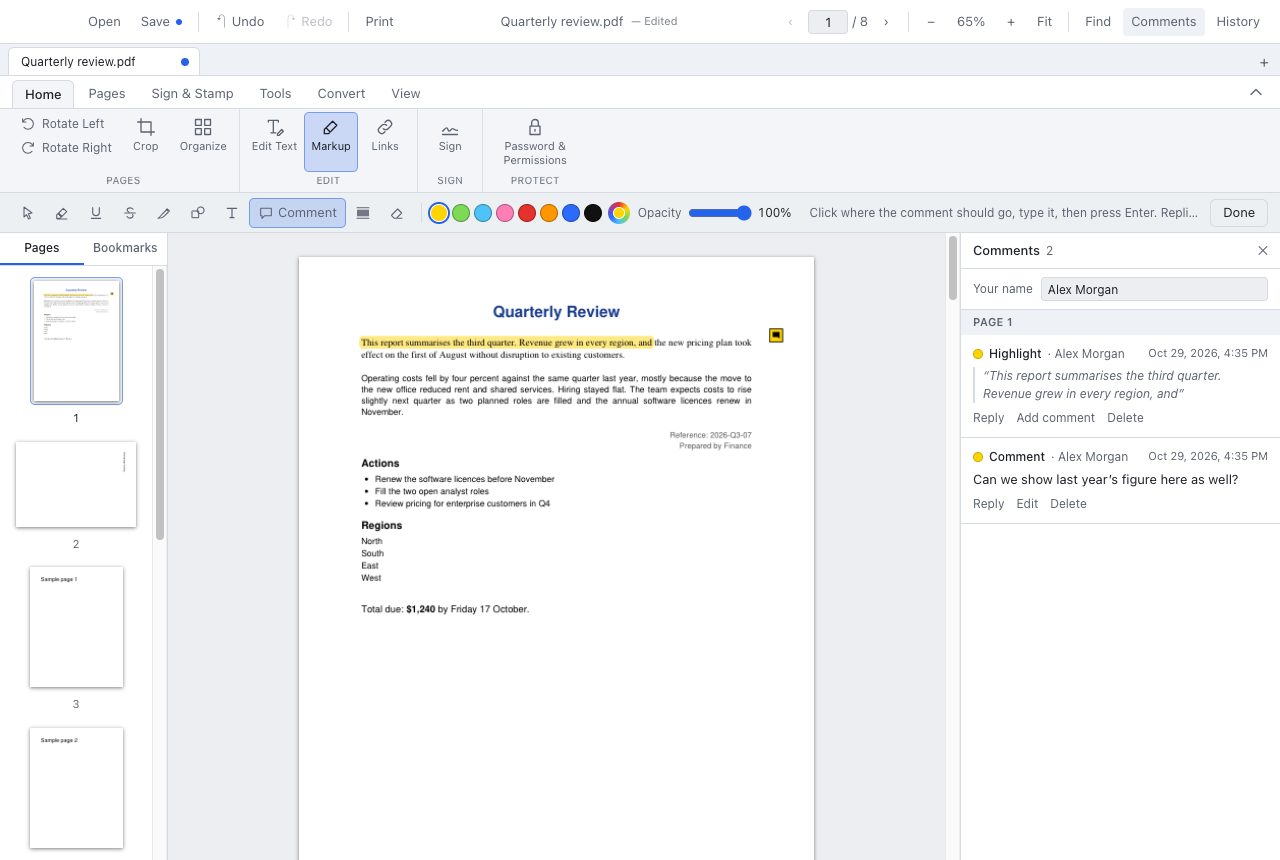
- Highlight, underline and strike out text, or highlight an area of a scan
- Draw freehand, and add boxes, circles, lines and arrows
- Sticky-note comments, with replies on any mark
- The Comments panel: every mark in the document, with who wrote it and when
- Your name on each comment, set once
- Text boxes typed straight onto the page
Organise pages
See every page at once and put them in order by dragging.
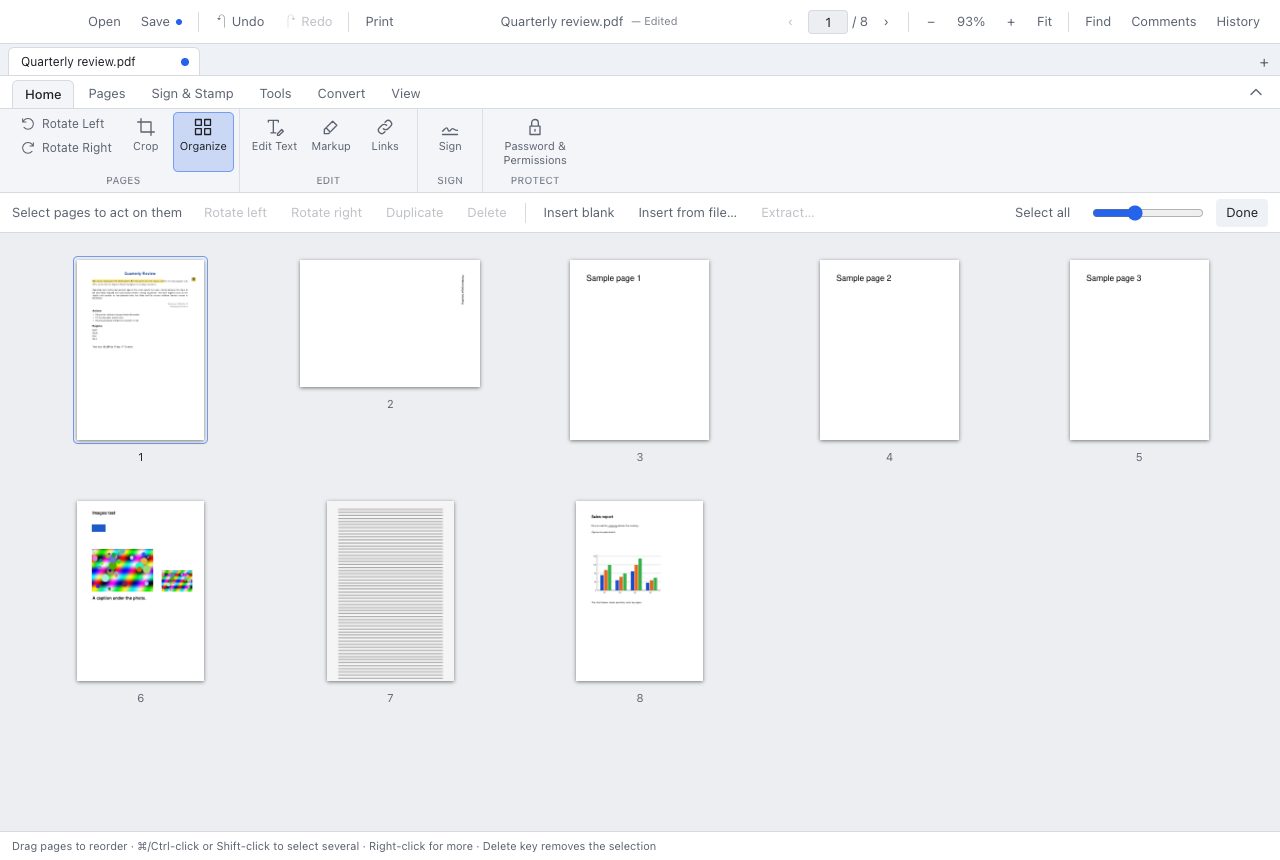
- Reorder by dragging, in the sidebar or the Organize view
- Rotate, duplicate and delete pages, one or many
- Insert a blank page or pages from another PDF
- Crop one page, the selected pages or all of them
- Merge several PDFs into one, with a bookmark for each
- Split every few pages, by page ranges, by bookmarks or by file size
- Extract pages as one PDF or one file per page
- Move or copy pages between documents open in tabs
Sign, stamp and fill in forms
- Signatures and initials: draw them, type them in a handwriting font, or import a picture (its white background removed)
- Saved securely: your signatures are encrypted with your computer’s own keychain
- Dates and text placed next to a signature
- Fill in forms: text boxes, checkboxes, radio buttons and lists, readable by other PDF apps
- Watermarks in text or a picture, behind or in front of the page
- Page numbers, headers and footers with the date and file name
- QR codes from any text or link
- Links to web pages, email addresses or other pages in the document
Signatures are pictures of your signature placed on the page, like a signature on paper — not certificate-based digital signatures.
Protect and clean up
- Redaction: mark areas, or find names, numbers and patterns such as tax file numbers, check them, then remove them for good — text, pictures underneath and all
- Passwords to open a PDF, and permissions for printing, copying and changes
- Open password-protected PDFs, and remove a password you know
- Unlock PDF: a copy of a restricted or secured PDF (bank statements, police reports) with no encryption and no limits, so upload sites accept it — one file or many, never guessing passwords
- Clean Metadata: author, hidden properties, scripts, attachments and comments, with a before-and-after report
- Flatten forms and annotations into the page
- Compress & Optimize, with the size each option will give before anything changes
Convert
- PDF to Word that keeps the layout, or rebuilt as flowing text, with a preview first
- PDF to Excel (.xlsx or CSV): the tables in bank statements, invoices and reports, with amounts and dates as real numbers and dates, and a preview first
- PDF to RTF, plain text and pictures (PNG or JPEG)
- Make Searchable: reads the text on scanned pages (English) so you can search, copy and edit it
- Open as a PDF: pictures (PNG, JPEG, GIF, BMP, TIFF), Word and Excel files, RTF, text files and web pages
- Several pictures into one PDF, in the order you choose
- Word files keep their formatting and page breaks when opened
View and find
- Tabs: several documents open side by side in one window
- Find words across the document, with match case and whole words
- Bookmarks panel: jump around, and add, rename and reorder bookmarks
- Thumbnails, zoom, Fit Width and Fit Page
- Reopen where you left off: the page and zoom you were at
- Recent files on the start page
- Light or dark, or follow your computer
- Print all pages, the current page or a range
Made for every day
- Undo and redo anything, with an Action History of every change
- Safe saving: each save is checked before it replaces the file, and the original is backed up first
- Never lose work: unsaved changes are always asked about before closing
- Settings for opening zoom, where files are saved, backups and more
- Automatic updates on Windows, installed when you restart
- Open with Eloom PDF Studio from File Explorer or Finder
- Keyboard shortcuts for the things you do most
- No account, no internet needed to use any of it
See it for yourself
Every feature above is in the 30-day free trial.