For Windows and Mac
Edit PDFs on your own computer.
Change the words in a PDF, sign it, fill in forms, black out what’s private, and turn it into Word and back — without uploading a single file.
30 days free, every feature · no account, no card · Windows 10 and 11, macOS 13 and later
Your files stay with you
Everything happens on your computer. Nothing is uploaded, scanned or stored anywhere else.
Works offline
On a plane, on site or behind a strict firewall: no internet connection needed, ever.
Pay once, keep it
No subscription. One licence is yours for good, with every update included.
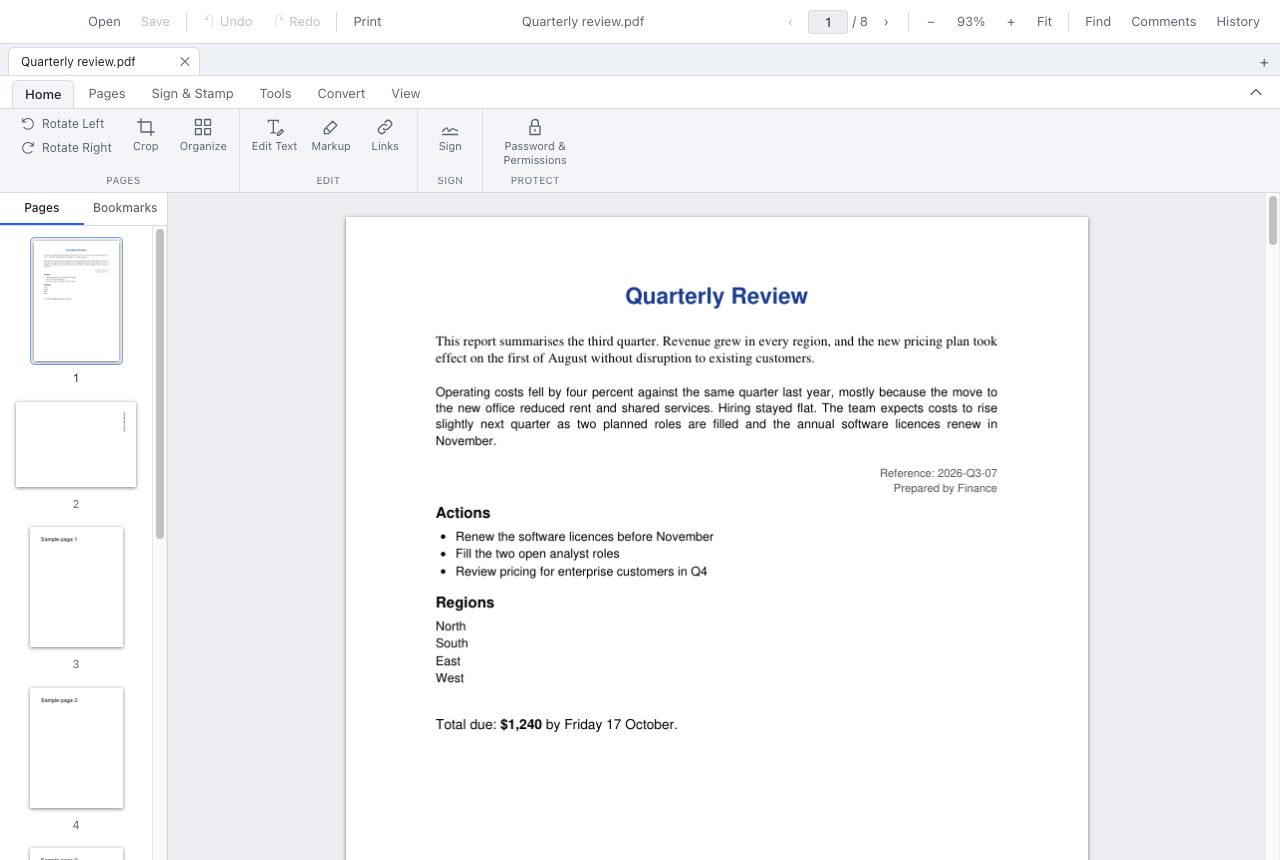
Everything you do with PDFs, in one app
The tools people reach for every week — and a few they didn’t know a PDF editor could do.
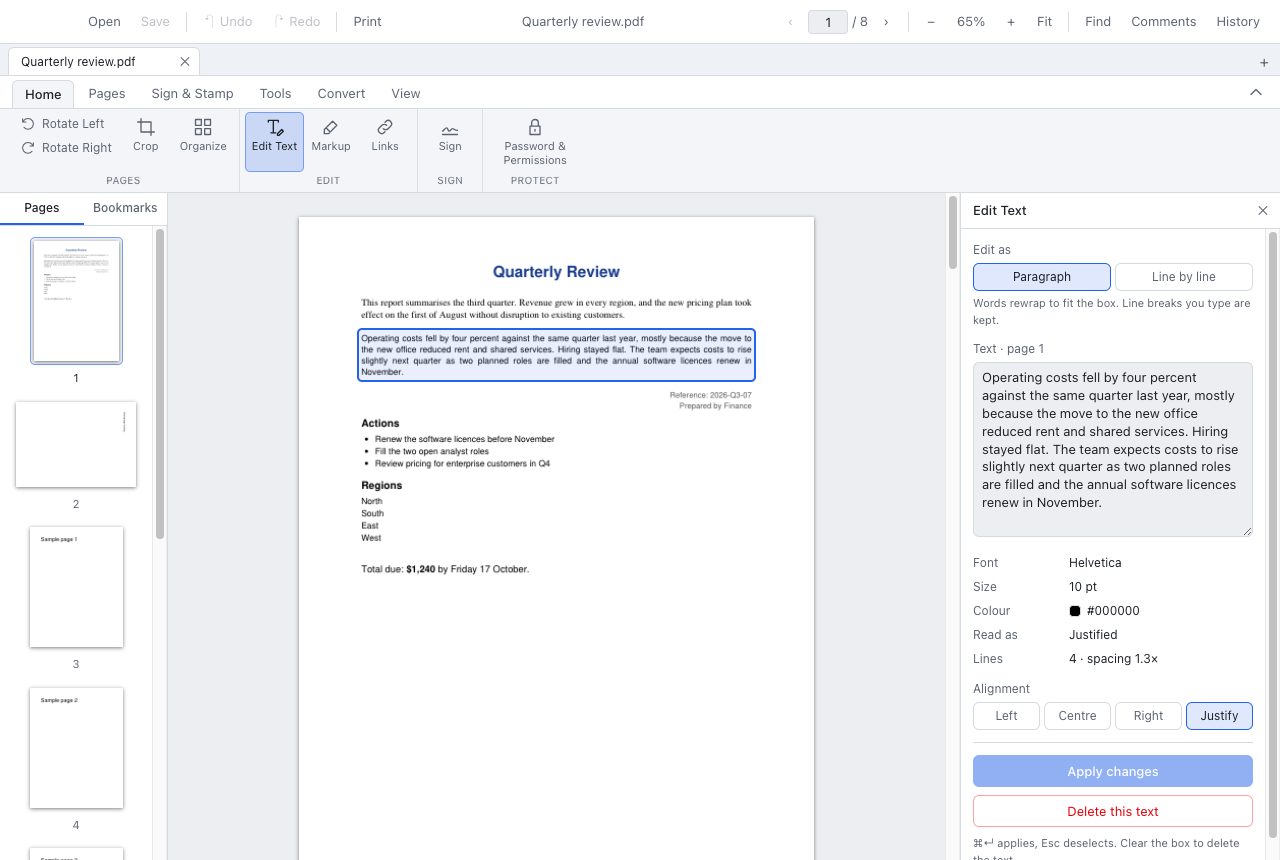
Edit the text itself
Click a paragraph and type. The new words take the same font, size and colour, and the text below moves to make room — even in tables, lists and scanned pages.
Sign and fill in forms
Draw, type or import your signature once and place it anywhere. Fill in form fields that other apps can read.
Redact for real
Find names, tax file numbers and account numbers, check the marks, then remove them for good — the text underneath is gone, not just covered.
Convert both ways
PDF to Word that keeps the layout, PDF to Excel for statements and invoices, plus text, RTF and pictures. Open Word, Excel, pictures, text and web pages as PDFs.
Organise pages
Merge, split, extract, reorder, rotate, crop and delete pages, and drag pages between documents open side by side in tabs.
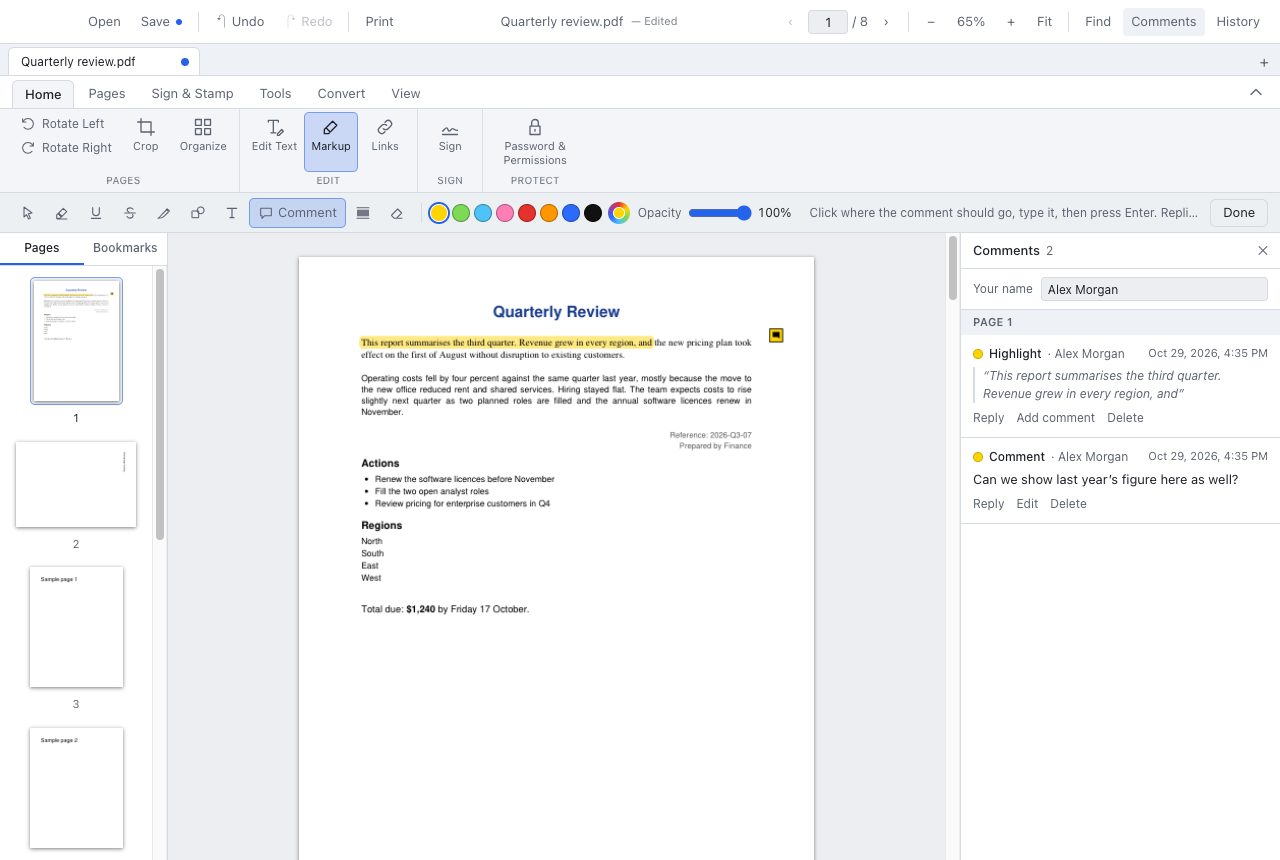
Review and mark up
Highlight, underline, strike out, draw and comment, with replies and a list of every comment in the document.
Change the words, not just cover them
Most PDF editors paste a white box over old text and type on top. Eloom PDF Studio rewrites the text in place, in the document’s own font, so the page looks as if it was always written that way.
- Paragraphs rewrap inside their column
- Table cells, lists and rotated text keep their place
- Scanned pages become editable once made searchable
Comments everyone can read
Highlight, underline and add notes, reply to each other, and see every comment in one list. Marks are saved as ordinary PDF annotations, so they show in Acrobat, Preview and web browsers too.
Try it free for 30 days
Every feature, no account and no card. When you’re ready, one licence keeps it working on your computer for good.